
Precision You Can Feel.
6dFT Motus™ Dexterous-Hand Fingertip 6-Axis Force Sensor
A fingertip tactile sensor that gives robot fingertips genuine touch perception: it identifies component forces, resultant force, contact location and slip state in real time, providing the critical feedback for dexterous grasping, fine manipulation and safe interaction. Suited to embodied-intelligence robots, service robots and high-end automation, it helps robots handle fragile, soft and complex-shaped objects with steadier, more accurate and smarter manipulation.
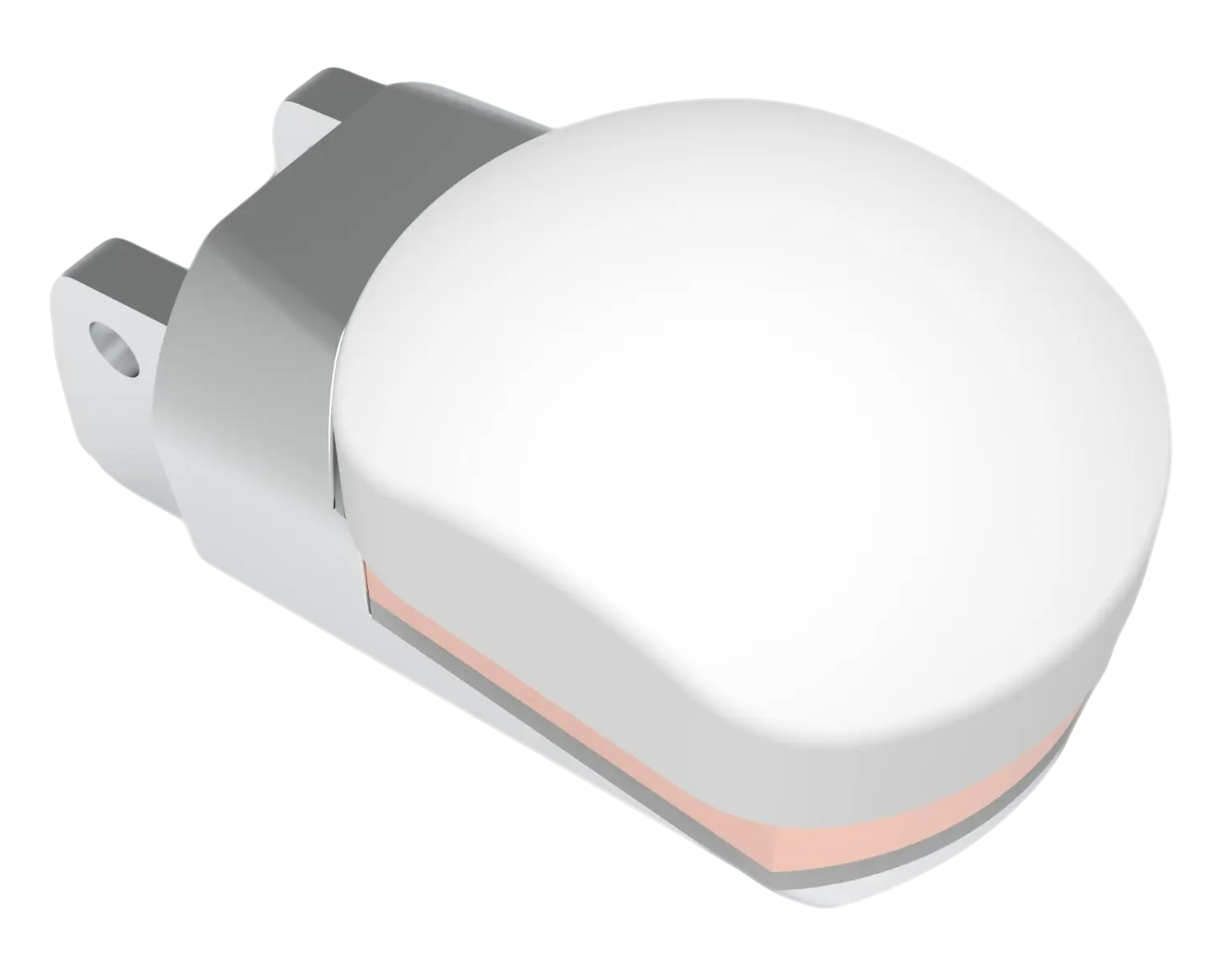
- Force / torque axes
- 6 DOF
- Sensor diameter
- Ø25 mm
- Model range
- 75–150 N
- Official models
- 2
Dynamic Force / Torque Data Demonstration
Explore how six simulated channels can be organized for fingertip contact analysis. The values below are illustrative software-generated data, not readings from connected hardware.
Current range 50% — Fz ±75.0N — precision-weighted control in hardware
- Fx
- 0.000 N
- Fy
- 0.000 N
- Fz
- 0.000 N
- Mx
- 0.000 Nmm
- My
- 0.000 Nmm
- Mz
- 0.000 Nmm
This dashboard uses slowly changing simulated values. No physical sensor is connected.
Core Capabilities
Every capability points at one thing — removing a bottleneck, so tactile sensing gets simpler.
Plug and play
A 576-byte factory calibration matrix, M2 screws and a standard mechanical interface. Mounted in under 30 seconds, with no user-side calibration.
Four auto-switching ranges
100% / 50% / 25% / 12.5% — the system switches range automatically as the signal changes, a hardware implementation of precision-weighted control.
24-bit high-resolution ADC
With IIR filtering plus a 50Hz notch, resolution reaches the micronewton level — enough to feel fabric, paper and other ultra-light materials.
Replaceable sensing skin
Silicone skin at <$6 each, swapped in 30 seconds without affecting calibration. High-frequency experiments are no longer limited by consumables.
Native ROS2 support
Standard WrenchStamped messages published at up to 2000Hz. One line to start: ros2 launch aili_tactile sensor.launch.py
TACTO simulation
A simulation model ships with the sensor and supports sim-to-real transfer training, cutting researchers’ training cost by 90%.
Quick Start
Two ways in — ROS2 robot integration, or the standalone Dashboard demo.
- < 30s
Mount the sensor
M2 screws with a standard mechanical interface and six self-aligning Pogo Pin spring contacts. If it fits, it is right.
- < 10s
Connect the cable
A Type-C cable to the host USB port; the system recognizes it as a serial device (CH9102/CH340).
- < 2min
Path A: ROS2 integration (recommended)
For robot system integration. Publishes standard WrenchStamped messages, with services for range switching, auto-zeroing and more.
# Build and install cd ~/ros2_ws/src && cp -r aili_tactile . && cd .. && colcon build source install/setup.bash # Start the sensor node (auto-detects the serial port) ros2 launch aili_tactile sensor.launch.py # Start the sensor plus the Dashboard visualization bridge ros2 launch aili_tactile sensor.launch.py enable_viz:=true # Inspect the data ros2 topic echo /aili_tactile/wrench # Call the service ros2 service call /aili_tactile/auto_zero std_srvs/srv/Trigger - < 30s
Path B: standalone Dashboard demo
No ROS2 environment needed — a Python serial bridge pushes straight to the browser. Suited to exhibitions and customer sites.
# Install dependencies and start
pip install pyserial websockets
python bridge.py --port COM3

# Open the Dashboard in a browser and click Hardware Live
Technical Specifications
| Parameter | Specification |
|---|---|
| Sensor material | Aluminium alloy / stainless steel (optional) |
| Sensor type | Resistive strain-gauge |
| Fz range (N) | 25~150 |
| Fxy range (N) | 12.5~75 |
| Mz range (Nmm) | 500~3000 |
| Mxy range (Nmm) | 60~360 |
| Overload rating (%) | 300~600 |
| Non-linearity (%F.S) | <0.3~<0.5 |
| Repeatability (%F.S) | <0.3~<0.5 |
| Coupling (%F.S) | <0.5~<1 |
| Thermal drift (%F.S/10°C) | <0.3~<0.5 |
| Zero drift (%F.S/30min) | <0.3~<0.5 |
| Signal-acquisition board | 38mm×34mm (external) |
| Output cable | 14P 0.5FPC flexible flat cable, 15cm |
| Input / output impedance | 350Ω |
| Communication interface | TypeC+4P serial port (customizable) |
| Power supply | DC5V 500mA |
| Digital resolution | 24-bit ADC |
| Sampling frequency | 100~2000Hz |
| Filtering | IIR 1000Hz low-pass + 50Hz mains-frequency notch |
| Built-in algorithms | Decoupling, zeroing, compensation, self-diagnosis |
Application Scenarios
From the lab to the production line, tactile sensing redraws the boundary of what a robot can do.
- Humanoid Robot
Humanoid robot — home service
Grasping eggs, glassware, towels and other objects of differing material and hardness. Explore before exploit: identify by touch first, then apply force. Four auto-switching ranges keep the force right for every situation.
Explore-before-ExploitAuto RangeMaterial ID - Cobot Integration
Collaborative robot — precision assembly
Electronic component placement needs contact-force accuracy below 0.1N. The 12.5% range step together with the F50-U model brings Fz resolution to the micronewton level, and IIR filtering removes production-line vibration.
12.5% Range24-bit ADCIIR Filter - Research Lab
Dexterous manipulation research
A LEAP Hand plus Aili Agent combination for collecting dexterous manipulation datasets. TACTO simulation supports sim-to-real, and the replaceable skin keeps high-frequency experiments at $50/month of maintenance.
TACTO SimSkin <$66DOF Data - Exhibition Demo
Exhibition / on-site customer demo
A five-minute path to first data, with a Wolfram-style real-time visualization Dashboard. Brand rose-gold styling and precise mechanical structure let customers "feel" the professionalism before they even watch.
5-min Setup6-Panel VizBrand Design
Applicable Robots and Mounting Locations
Robot types and locations below are generated from the current selection relationships rather than page-specific marketing copy.
Current selection: Humanoid Robots · Fingertip multi-axis force control
- Humanoid Robots
- Collaborative Robots
- Industrial Robots
- Finger
- Robot gripper
Select a model
- M6F-D025-075
- Axes
- 6
- Diameter
- 25
- Range
- 75
- M6F-D025-150
- Axes
- 6
- Diameter
- 25
- Range
- 150
Downloads
- STEPDownload STEP
Data note
Some parameter information continues to be verified. Refer to the official technical documentation.
Ready to Feel?
Let every touch a robot makes become an act of understanding the world.